




Recommended Software
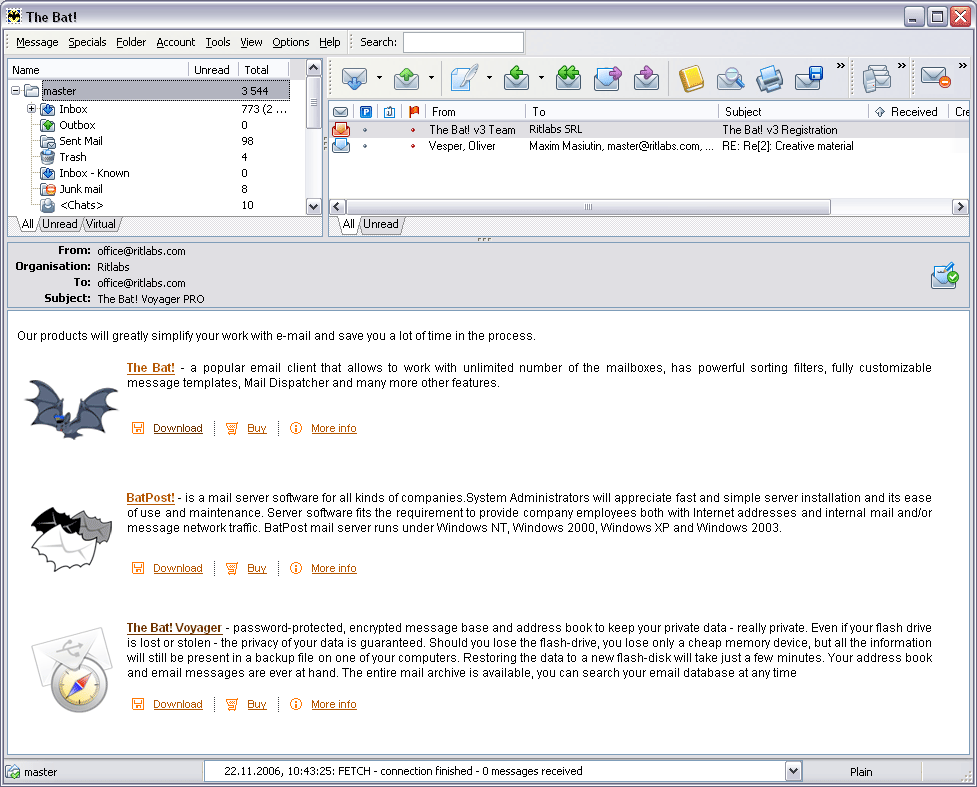
The Bat! 3.95
The Bat! is a powerful, highly configurable, yet easy to use, email client for the casual user or the power user, the home or the office. Unlimited multiple accounts and multiple users Familiar Explorer-style folders for organizing messages Easily configurable user interface with message...
DOWNLOADSoftware Catalog
 Android Android |
Business & Productivity Tools |
| Desktop |
Developer Tools |
| Drivers |
Education |
| Games |
Home & Personal |
| Internet & Networking |
Multimedia & Design |
| Operating Systems |
Utilities |


Icon Processor
Icon Processor 3.0
Category:
Utilities / Icon Tools
| Author: Icon Empire
DOWNLOAD
GET FULL VER
Cost: $19.95 USD, 16.95 EUR
License: Shareware
Size: 1.3 MB
Download Counter: 11
The program has a wizard-style interface that will quickly walk you through all four stages of converting your image into an icon. You start by specifying an image file or an entire image folder to process. Selecting images is a breeze. You can drag and drop them on the program’s interface or add them through the mini-browser with a preview window. Then you need to customize the output settings for your icon. These include icon size, color depth, destination folder and transparency effect. Once you are through these stages, the program will automatically process the file based on your requirements and save it to the specified folder.
Requirements: 32MB RAM, Pentium-233 MHz, 5MB HDD
OS Support:
Language Support:
Related Software
Bitmap To Icon | Bmp | C jpeg library | Convert | Converter | Extract | Extract Bitmap | Gif | Image | Image Icon Converter V1. | Jpeg | Jpeg library | Jpeg library c | Jpeg to bitmap | Jpg | Library | Library jpeg | Picture | Picture Extract | Tiff to bitmap
 Icon to Any - Icon to Any is an easy-to-use wizard that lets you convert Windows icons to images and cursors. This tool supports a great variety of graphic formats, and allows resizing, changing color depth and smoothing of output images.
 Any to Icon - Any to Icon Pro is a wizard-style converter for producing attractive Windows or Mac OS icons from an image. Many graphic formats are supported. Output customization includes options such as icon size, color depth, and transparency.
 AIconExtract - AIconExtract is a 32-bit utility that was designed to allow you to easily extract icon, cursor and bitmap images from the files on your computer. Resource images can be copied to the clipboard or saved to disk as .ico, .bmp, .cur or .jpg images.
 Able DXF Manager - View,acquire, convert and print DXF files in normal, batch and command line modes. Input formats: DXF, TIF, JPG, PCX, BMP, DIB, RLE, PNG, WMF, EMF, TGA, VDA, ICB, VST, PIX, PXM, PPM, PGM, ICO, CUR. Output: JPG, TIF, PCX, PNG, BMP, TGA, PXM, PPM.
 Paint Express - Create, view, edit, and extract icons, cursors, and bitmaps. Convert existing images with transparency to Windows XP icon/cursor or to 32-bit bitmap with alpha channel in one-click. Capture and save any image from the desktop screen or from Internet.
 ReaCompressor - Images for the web - Optimize your images for the web with your own JPG, GIF, PNG settings and see the changes in real time.
 Icon Suite II - Diplodock Icon Suite II is a set of professional programs for icon editing and management integrated in a single suite. It allows an average PC user to quickly find, extract, manage, edit, import, export, or save any icon, cursor, or animated cursor.
 Image Icon Converter - Image Icon Converter converts BMP, JPEG, GIF, PNG, TGA, TIF and PCX formats into Windows icons, And Converts Windows icons into GIF, JPG, etc.
 Icon Converter Plus - This is a powerful package for icon creation, conversion, edit and modification. Make capture from your screen or applications and save into icon or image. Also able to EXTRACT Windows icons from inside of applications and save them into icon.
 AyeConvert - AyeConvert is a image converter, enables you to convert your bmp cur dcx emf fmf g3f g3n gif ico jpeg jpg j2k j2c jp2 jpc pcx pgx png pnm pgm ppm ras tif tiff wbmp wmf to bmp tiff jpeg png pcx dcx tga ras, etc.
 Top Downloads
- Exe Icon Changer
- IconCool Studio
- ActivIcons
- PC Icon Extractor
- RV Icon Edit
- IconCool Editor
- Folder Icon Changer
- 533soft Icon Changer
- Junior Icon Editor
- ArtIcons Pro

New Downloads
- ArtIcons Pro
- Axialis IconWorkshop
- AWicons Pro
- Any to Icon
- Junior Icon Editor
- IconoMaker
- IconEdit2
- ArtIcons
- IconCool Studio
- IconCool Editor

New Reviews
- jZip Review
- License4J Review
- USB Secure Review
- iTestBot Review
- AbsoluteTelnet Telnet / SSH Client Review
- conaito VoIP SDK ActiveX Review
- conaito PPT2SWF SDK Review
- FastPictureViewer Review
- Ashkon MP3 Tag Editor Review
- Video Mobile Converter Review
Actual Software
| Link To Us
| Links
| Contact
Must Have
| TOP 100
| Authors
| Reviews
| RSS
| Submit


