




Recommended Software
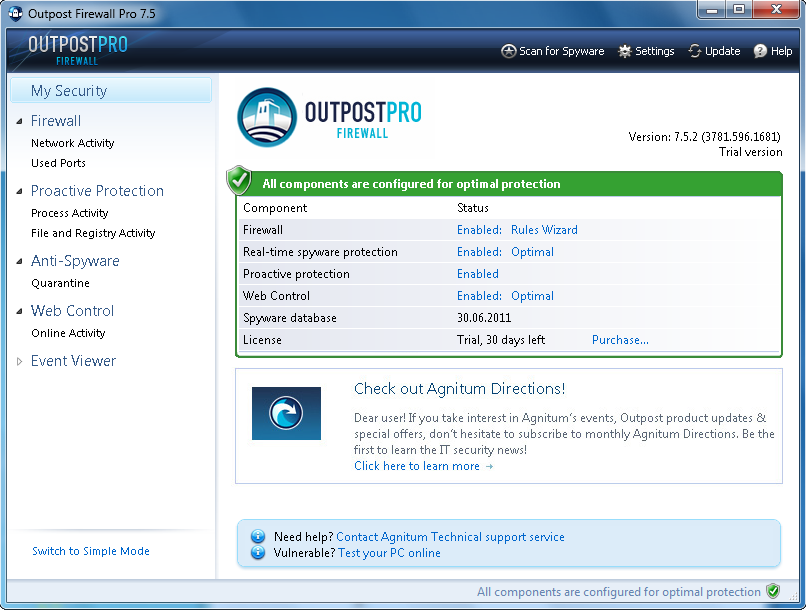
Agnitum Outpost Firewall Pro 7.5.1
PC defense against hackers, malware, viruses and Internet attacks. Inbound and outbound system and application firewall delivers powerful protection against a wide range of threats from local networks and the Internet and prevents unauthorized access to your PC. Protection for your OS and...
DOWNLOADSoftware Catalog
 Android Android |
Business & Productivity Tools |
| Desktop |
Developer Tools |
| Drivers |
Education |
| Games |
Home & Personal |
| Internet & Networking |
Multimedia & Design |
| Operating Systems |
Utilities |


STOIK RedEye Autofix
STOIK RedEye Autofix 3.0
Category:
Multimedia & Design / Image Editing
| Author: STOIK Imaging
DOWNLOAD
GET FULL VER
Cost: $29.00 USD
License: Shareware
Size: 6.0 MB
Download Counter: 15
- Automatically detects and corrects 'red eye' in photos.
- Works in fully automatic or high precision semi-automatic mode.
- Processes photos one-by-one or in batches.
- Shell integration - Right-click on any photo or multiple selected photos on PC or camera and choose 'Remove Red Eye' option.
- Preserves EXIF information.
CORRECT PHOTOS ONE BY ONE
Thanks to the fully automatic 'red eye' removal algorithm, the interface of the program is very simple - you have just few necessary buttons to open, save, view, zoom and pan photos, one 'Remove' button to apply 'red eye' removal filter, buttons for Undo/Redo and for moving to next or previous image in folder, and Select button which is used for high precision manual processing.
The operation is very simple - click Open to load photo, click Remove to correct 'red eye', then click Save, and if necessary, click Next button to load next image file from the folder.
MANUAL MODE
When red eye defect is less prominent and program fails to detect in automatic mode use Select button and draw selection around each 'red eye', then click Remove.
CORRECT MULTIPLE PHOTOS AT ONCE
After installation of STOIK RedEye Autofix the two additional entries will appear in context menu of Windows Explorer. Right-click the image file on your computer or attached camera and choose the new command which will run STOIK RedEye Autofix behind the scenes:
- Fix 'red eye' and save copy -
Will process file (or multiple selected files) without opening the STOIK RedEye Autofix in fully automatic mode and save processed copies in separate files with the name like . The file format and EXIF information of original file(s) are preserved.
Requirements: PentiumII, 128MB RAM
OS Support:
Language Support:
Related Software
Automatic | Automatic .ico | Automatic Ftp | Automatic Id3 | Automatic Id3 Tag | Automatic Key | Automatic ras | Automatic Upgrade | Camera | Correct | Easy | Exif | Exif remove | Fast | Fix | Form Automatic | Mu easy fast | Precision | Red Eye | Remove
 Image Properties for Camera Phones - This is a utility designed to read EXIF information of JPEG images captured by camera phones.
 ImageIron - Software to highly precise and automatic capture and remove lens aberrations (distortion, vignetting) of consumer or high-end digital cameras
 Exif Farm - EXIF editor is used for viewing EXIF/EXIF GPS/IPTC/XMP data, and editing and creating EXIF/EXIF GPS data. It is also integrated into Windows Explorer.
 DBPix - Add Images to Access Easily and Efficiently with DBPix: the Access Image Control. Avoid ALL the Access Imaging Gotchas! * Easy development * No OLE bloat * Responsive forms * Lossless JPEG rotate * TWAIN * EXIF viewer * Try DBPix now!
 Exif Pilot - Create, view and edit EXIF data with Exif Pilot.
- Photo Toolkit - Photo Toolkit is a powerful freeware program to improve your digital photos. You can correct colors and remove red eyes from a number of photos simultaneously, retouch portraits, add lighting effects, correct perspective, change size and more
 Mihov EXIF Renamer - Mihov EXIF Renamer extracts the photo capture time from JPEG and puts into the image file name. If this info is not available (scanned images) it can take file creation time. Option to change time zone or correct time and add custom prefix or suffix.
 JPEG Japery - JPEG Japery automates common jpg file operations. This package can rename, alter case, list, set attributes, encypt, decrypt, wipe, delete and more. Support added for date picture taken, date modified, date digitized and camera make and model.
 Photo Sorter Pro - Sort Photos easily with Photo Sorter Pro. This powerful photo sorter will sort, organize and rename all your photos, fast and easy. Want your photo collection to be in ideal order? More info and free download at PhotoSorter.net
 PhotoInfoEx - An PhotoInfoEx is digital photo software that will allow to edit or modify some of the EXIF or IPTC infos of your Jpeg and Tiff image files. PhotoInfoEx able to read EXIF, IPTC and Maker Notes fields, contained in RAW photo files.
 Top Downloads
- T3D - 2D to 3D Converter
- Easy Photo Frame
- Life Photo Maker
- PhotoInstrument
- RasterVect
- ASCII Art Generator
- Amazing Photo Editor
- Algolab Raster to Vector Conversion Toolkit
- MakeUp Instrument
- IE Picture Framer

New Downloads
- reaConverter Pro
- RasterVect
- Easy Photo Frame
- PhotoInstrument
- MakeUp Instrument
- TiffSplitter
- HardCopy Pro
- IncrediFace
- Pixel Editor
- Photopus

New Reviews
- jZip Review
- License4J Review
- USB Secure Review
- iTestBot Review
- AbsoluteTelnet Telnet / SSH Client Review
- conaito VoIP SDK ActiveX Review
- conaito PPT2SWF SDK Review
- FastPictureViewer Review
- Ashkon MP3 Tag Editor Review
- Video Mobile Converter Review
Actual Software
| Link To Us
| Links
| Contact
Must Have
| TOP 100
| Authors
| Reviews
| RSS
| Submit


