




Recommended Software
Kaspersky Anti-Virus 2012
Essential Protection—Kaspersky Anti-Virus delivers core protection from the latest viruses, malware, and more. It works behind-the-scenes with intelligent scanning and small, frequent updates, while proactively protecting you from known and emerging threats. • Harnesses the power of the...
DOWNLOADSoftware Catalog
 Android Android |
Business & Productivity Tools |
| Desktop |
Developer Tools |
| Drivers |
Education |
| Games |
Home & Personal |
| Internet & Networking |
Multimedia & Design |
| Operating Systems |
Utilities |


Dr. Axel Benz Red Folders
Dr. Axel Benz Red Folders 1.0


Category:
Desktop / Icons & Cursors
| Author: Dr. Axel Benz
DOWNLOAD
Cost: $0.00 USD
License: Demo
Size: 792.9 KB
Download Counter: 18
Red Folders
How much time do you spend on your PC with navigation? If you think that it is too much,
this program will help you.
Dr. Axel Benz Red Folders is a miracle – it gets you to the folders you are working in with
one click.
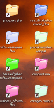
Once the program is running, you will see shortcuts to the folders you are working in on your
desktop.
You recognize the red folders shortcuts because they are big and colourful.
The folders are updated each minute.
The names of the shortcuts are the names of the folders they are pointing to plus the name of
the parent folder. A shortcut pointing to “C:familymother” will get the name “mother
family.”
Sometimes, the system lets show up folders which you don’t want or even don’t know. This is
because some program is working in theses folders without your knowledge. Or maybe you
don’t want a shortcut to each subfolder of a certain folder. In those cases you can ban
shortcuts from your desktop.
To let them disappear, just right-click on a folder and choose “send to – add to banned Red
Folders list. The folder disappears and will not come back.
If you have banned folders and you want to have them back, right-click on the red folders
symbol in the system tray and choose “edit banned folders list”.
You can edit the ban list and delete the line with the folder you want to have back. By closing
the window, the list is saved. Next time you are using this folder, it will be back on your
desktop.
The evaluation version is fully functional, but starts to annoy you with messages after running
for one hour. You can get the real version for a very good price at
www.redfolders.de
Have fun and be productive with Dr. Axel Benz Red Folders!
OS Support:
Language Support:
Related Software
Cd Navigation | Desktop | Desktop Navigation | Desktop Shortcut | Efficiency | Keyboard Navigation | Navigation | Navigation Bar | Navigation tabs | Pdf Navigation | Robot Navigation | Shortcut | Web Page Efficiency | Web Site Navigation
 You!Symlink - You!Symlink - a new type of shortcut on your desktop which has aside from ordinary functions many special features
 Shortcut Caddy - Clear the clutter from your desktop while maintaining quick, intuitive access to your favorite programs and files
 dtrt.NavBarWin - This Access-like .NET Windows Forms data navigation control works with datasets, views, collections and IList objects. Navigate with buttons, shortcut keys, commands or context menu. Additional developer-defined buttons and incremental navigation.
 AppLaunch - An application launcher utility that allows you to create groups of shortcuts to applications, documents and URLs (Internet addresses) for rapid access from your Windows desktop. Shortcuts can also be associated with hot key combinations.
 RTDesktop - Switch between desktops,Define Shortcut key ,Free upgrades,Clear Shortcut key , Trial Version allows to switch Desktops upto 30 times
 MiniDesk - MiniDesk - Very compact desktop manager.MiniDesk allows to create extra desktops.Having set a separate desktop for the applications of the same type, you will clear the space on the screen, the navigation will be simpler and easier.
- Launch It Pro - Launch It! Pro is a desktop utility that provides an alternative method of launching applications, easier to use than Windows Start menu, and neater than having large numbers of desktop shortcuts.
 Desk Topmost - Desk Topmost can let desktop float on the top instead of minimizing all windows.
 MurGeeMon - Dual Monitor Software to Control Dual Display Devices or Monitors. Control Power of Secondary Monitor or all Monitors / Displays connected to a Computer. Change Monitor Orientation to Portrait or Landscape with shortcut key and more for dual monitors
 Launch-n-Go - A program launcher, text inserter, shortcut creator & desktop toolbar ??“ all in one! Open any files, programs or websites with hotkeys. Instantly perform web searches or use keyboard shortcuts to perform common tasks in Windows.
 Top Downloads
- World Flags Icon Presentation
- Free Icon Gallery
- Free vista icons
- Free Business Office icons
- Stock Icons - XP and MAC style icons free
- Web Icons - professional icons for web
- World Flags Icon Collection
- Software Icons - Professional XP icons for software and web
- Buddy Icon Grabber
- ArtCursors

New Downloads
- ArtCursors
- Icon Craft
- 1 Click & Go
- IconLover
- CustomIcons
- ICL-Icon Extractor
- Lovely Folders
- Program Icon Changer
- Business Icon Set
- Wise Icon Maker

New Reviews
- jZip Review
- License4J Review
- USB Secure Review
- iTestBot Review
- AbsoluteTelnet Telnet / SSH Client Review
- conaito VoIP SDK ActiveX Review
- conaito PPT2SWF SDK Review
- FastPictureViewer Review
- Ashkon MP3 Tag Editor Review
- Video Mobile Converter Review
Actual Software
| Link To Us
| Links
| Contact
Must Have
| TOP 100
| Authors
| Reviews
| RSS
| Submit


