




Recommended Software
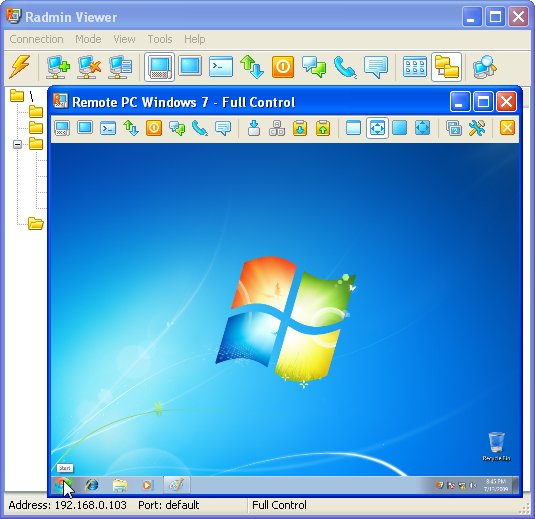
Radmin Remote Control 3.4
Radmin (Remote Administrator) is the famous remote administration software for remote computer control. It enables you to access a remote PC via a LAN or over the Internet in multiple modes: remote file access, remote assistance, full remote computer control, Telnet, text and voice chat. Strong...
DOWNLOADSoftware Catalog
 Android Android |
Business & Productivity Tools |
| Desktop |
Developer Tools |
| Drivers |
Education |
| Games |
Home & Personal |
| Internet & Networking |
Multimedia & Design |
| Operating Systems |
Utilities |


1st Privacy Tool for Windows Feedback System
1st Privacy Tool for Windows Info

License: Shareware | Author: 1st Security Software Center | Requirements: no special
1st Privacy Tool is a powerful security utility that allows you to restrict access to Windows important resources. This easy-to-use utility helps you to keep your computer in order. It enables you to impose a variety of access restrictions to protect your privacy. You can deny access to each individual component of several Control Panel applets, including Display, Network, Passwords, Printers, and System. You can disable your boot keys, DOS programs, Registry editing and network access. You have got an ability to hide your desktop icons, individual drives, Start menu items and the taskbar features, it enables you to stop others from tampering with your desktop. If you set up the special list of allowed applications nobody will run unwanted programs. The powerful feature 'User Working Time' allows you to limit working time for your children , office colleagues , students and so on. You can define several time intervals and time durations to manage users working time very easy. 1st Privacy Tool supports Internet Explorer security that enables you to customize many aspects of the Internet Explorer Web browser. It lets you disable individual menu items, prevent others from editing your Favorites, disable individual tabs in the Internet Options dialog, restrict access to the IE browser options. Also the program can log WHO and WHEN uses your computer to the special log file , so you always know who has used your computer. The administrator password prevents anybody to run the program and change settings and uninstall the program. The 'Import/Export' function helps you set up the same settings on several computers very easy.
Security restrictions can be applied universally or just to specific users because 1st Privacy Tool has got the multiuser intuitional interface.
Notice: * - required fields
1st Security Software Center Software
 1st Security Center Pro - 1st Security Center is a security utility that allows you to restrict access to Windows important resources. This utility helps you to keep your computer in order. It enables you to impose a variety of access restrictions to protect your privacy.
 Dark Files - Dark Files can help you keep your files protected. You can choose who gets access to what files on your computer. This program provides three levels of protection to suit any user : "Hidden", "Read Only", "Full Control".
 IE Cache&History Viewer - The ???IE Cache and History viewer??? is a simple and fast freeware utility that allows you manage the internet explorer cache. You can examine web pages you have visited and clean the IE cache and temporary files too.
 IE Security Pro - Internet Explorer Security is an utility that customizes many aspects of the Internet Explorer Web browser. It's a snap to use and provides the tools you need to retain and manage your Web browser settings.
 Kids PC Time Administrator - It allows you to set limits on how much time your child spends on the computer or online. You can share the same computer among your children by setting an individual time table for each child.
- Protect Files Pro - Protect Files Pro can help you keep your files protected. You can choose who gets access to what files on your computer. This program provides three levels of protection to suit any user : "Hidden", "Read Only", "Full Control".
 Security Desktop Tool - Security Desktop is a security utility that allows you to restrict access to Windows important resources. This utility limits kids time they spend in internet and playing games. It provides folders and files protection.
 User Time Administrator - User Time Administrator lets you specify when exactly and how long the computer can be used. Schedule time intervals and the number of hours each child can use the computer per day a week.
 User Time Control - User Time Control Center lets you specify when exactly and how long the computer can be used. Schedule time intervals and the number of hours each child can use the computer per day a week.
 Windows Security Officer - Windows Security Officer enables you to protect and totally control access to your personal computer. It offers administrative support for controlling which users are allowed to access your computer and the level of access each user may have.
 Top Downloads
- Evidence Begone Free Porn Scan
- Agnitum Outpost Firewall Pro
- PasswordsPro
- SpotMSN Password Recover
- Zip Password
- Win Spy Software Pro
- KeysRecover
- Internet Access Controller
- Internet SPY - PC Detective
- Webroot Spy Sweeper with AntiVirus

New Downloads
- DiskPulse Server
- SpyAgent
- Passwords Base
- Network Password Manager
- Cryper
- PasswordsPro
- SpotMSN Password Recover
- IE Asterisk Password Uncover
- Master Voyager
- ProteMac NetMine

New Reviews
- jZip Review
- License4J Review
- USB Secure Review
- iTestBot Review
- AbsoluteTelnet Telnet / SSH Client Review
- conaito VoIP SDK ActiveX Review
- conaito PPT2SWF SDK Review
- FastPictureViewer Review
- Ashkon MP3 Tag Editor Review
- Video Mobile Converter Review
Actual Software
| Link To Us
| Links
| Contact
Must Have
| TOP 100
| Authors
| Reviews
| RSS
| Submit


