




Recommended Software
PMM Personal Memory Manager PMM70ST
Philosophy Application - PMM Personal Memory Manager v7.0 (July 2010). A philosophy of memory and the power of belief, called "Constructive Recollection" received its own software application. PMM (Personal Memory Manager) is your life-long support system to constructively recollect what you...
DOWNLOADSoftware Catalog
 Android Android |
Business & Productivity Tools |
| Desktop |
Developer Tools |
| Drivers |
Education |
| Games |
Home & Personal |
| Internet & Networking |
Multimedia & Design |
| Operating Systems |
Utilities |


Meta Commander Pro file manager Feedback System
Meta Commander Pro file manager Info
License: Shareware | Author: Desktop Boosters Software | Requirements: Internet Explore 4.0 or hi.
Wonder why Explorer, Total Commander or "Open" and "Save" dialogs always start from a wrong folder? Do you hate navigating through all those folders again and again? Then you are ready for a brilliant solution from DesktopBoosters called Meta Commander.
Unlike simple "Favorite folders" applications, Meta Commander will completely change the
way you work with file and folders. Navigate through your folders without clicking them,
by simply moving your mouse pointer exactly as you navigate through your programs by
clicking the "Start" button.
Where is this "Start" button that you have to click to browse folders? Everywhere! Meta
Commander integrates with the Windows shell and can be started from everywhere you need
it with a right click of your mouse. Start it by clicking on your desktop or explorer
windows, start it with a right click in "Open" and "Save" dialogs, start it by right
clicking on anything that shows files and folders.
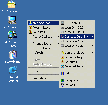
How does it work? Meta Commander looks like a pop-up menu containing all your disks,
folders and files. In addition to normal files and folders, Meta Commander shows some
special folders for easier navigation, such as "Favorite folders" and "Folders history".
Advanced users will like the "customizable clicks" features. Selecting the same file in
Meta Commander with various combinations of mouse clicks and control keys, you can open
it using different applications, run with specified parameters, browse with your favorite
file manager or picture viewer.
Save time, save mouse clicks and enhance your style of file browsing with Meta Commander!
Notice: * - required fields
 Top Downloads
- Total Commander
- WinBin2Iso
- Hard Drive Mechanic
- WinMount
- Export Lotus Notes Address Book
- Notes to Outlook
- Secure File Vault
- EASEUS Partition Manager
- Drive Discovery
- BootIt Next Generation

New Downloads
- WinNc
- DiskSavvy Server
- Undela
- RescuePRO
- Hard Drive Mechanic
- Active SMART
- WinISO
- Outlook Recovery
- FlashPhoenix Photo Recovery
- Recovery For SQL Server

New Reviews
- jZip Review
- License4J Review
- USB Secure Review
- iTestBot Review
- AbsoluteTelnet Telnet / SSH Client Review
- conaito VoIP SDK ActiveX Review
- conaito PPT2SWF SDK Review
- FastPictureViewer Review
- Ashkon MP3 Tag Editor Review
- Video Mobile Converter Review
Actual Software
| Link To Us
| Links
| Contact
Must Have
| TOP 100
| Authors
| Reviews
| RSS
| Submit


