




Recommended Software
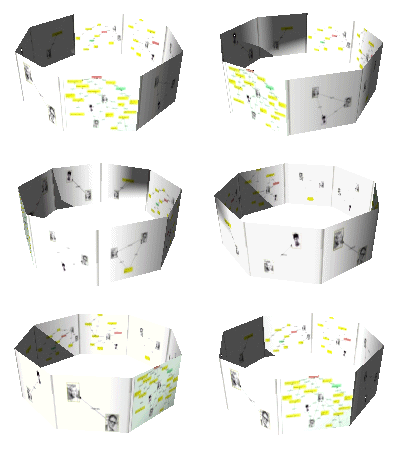
PMM Personal Memory Manager PMM70ST
Philosophy Application - PMM Personal Memory Manager v7.0 (July 2010). A philosophy of memory and the power of belief, called "Constructive Recollection" received its own software application. PMM (Personal Memory Manager) is your life-long support system to constructively recollect what you...
DOWNLOADSoftware Catalog
 Android Android |
Business & Productivity Tools |
| Desktop |
Developer Tools |
| Drivers |
Education |
| Games |
Home & Personal |
| Internet & Networking |
Multimedia & Design |
| Operating Systems |
Utilities |


XP App Wizard Download
XP App Wizard 1.1
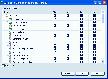
In many homes, more than one person uses a single computer. Windows XP is the first Microsoft operating system designed for home use that will allow each user to have his or her own individual profile and settings.
One big advantage of individual profiles is that is now possible to provide a customized Start Menu for each user. You may want to disable "System Tools" from your child's profile or prevent certain applications from launching automatically except for when you log in. Unfortunately, it can be difficult and time-consuming to configure the Start menu and startup applications using the Windows XP base installation.
The XP App Wizard provides an intuitive, easy-to-use interface that allows you to add or remove items to your Windows XP Start Menu user-by-user. The wizard displays all Start Menu items in a grid, with a column of check boxes for each user. If you want an item displayed in a user's Start Menu, you check it. Remove the check mark and the item will be removed. The wizard is aware of the complexities of the "All User" meta-user and will handle them appropriately.
Size: 598.0 KB | Download Counter: 4
If XP App Wizard download does not start please click this:
Download Link 1
Can't download? Please inform us.
Related Software
 Start Menu 7 - A convenient and superior alternative to the Start menu for Windows 7. With Start Menu 7 easy interface, you will quickly forget about the system start menu. Every detail in Start Menu 7 is a pleasure.
 Start Menu Catalog - Has your Start Menu become so massive that you are now having problems finding the necessary programs? If that`s true, you definitely need Start Menu Catalog. Download Start Menu Catalog right now and bring order to your Start menu.
 Classic Start Menu - New Aero skin in Classic Start Menu for Windows Seven. With this program you can bring back the well known classic start menu interface and, at the same time, enjoy the power of new technology: search by name and a skinable interface.
 CSMenu - CSMenu is a replacement for the default Windows 7 start menu, allowing you to use the original, classic start menu from previous versions of Windows. It is also completely free and easy to setup and install.
 Links Organizer - Links Organizer provides quick access to the most kinds of links on your system - from Start menu and Desktop to Internet links. Using Links Organizer, you can inspect, edit, exchange links between categories
 NewStartMenu - NewStartMenu can replace your start menu with your own menu, it is easy to use! you can switch between your start menu and windows start menu.it can hide your desktop and system tray.
 Customize Start Menu - Customize Start Menu will help you arrange Desktop environment, Start Menu and Quick Launch in blink of an eye!
 DeskLauncher - DeskLauncher is a Start Menu alternative. It lets you launch applications, documents, URLs immediately and easier using toolbar, tray menu, floating window, hotkeys or aliases.
 LaunchOnFly - LaunchOnFly is a Start Menu alternative and hotkey manager. It lets you launch applications, open files, folders, Web sites, and send e-mails faster and easier using quickly accessible and easily configurable menu.
 Start Menu Tuner - Have All Programs In Your Start Menu Become Enormously Numerous?
The program Start Menu Tuner will easily solve your problem. Use it to create program categories you need and sort your programs by them. You will do it easily and visually.
Start Menu Tuner - Have All Programs In Your Start Menu Become Enormously Numerous?
The program Start Menu Tuner will easily solve your problem. Use it to create program categories you need and sort your programs by them. You will do it easily and visually.
 Top Downloads
- KDT Soft. Recover Product Key Demo
- System Mechanic Professional
- UltraISO Premium
- Crap Cleaner
- Volume Serial Number Editor
- Manage PC Shutdown
- Minimize to tray
- Shutdown Lock
- Comodo System Cleaner
- Turn Off Monitor

New Downloads
- System Mechanic Professional
- System Cleaner
- WinTools.net Professional
- Smart Defrag
- Flashpaste
- RoboTask
- Advanced Task Scheduler
- USB Secure
- NETGATE Registry Cleaner
- PTFB Pro

New Reviews
- jZip Review
- License4J Review
- USB Secure Review
- iTestBot Review
- AbsoluteTelnet Telnet / SSH Client Review
- conaito VoIP SDK ActiveX Review
- conaito PPT2SWF SDK Review
- FastPictureViewer Review
- Ashkon MP3 Tag Editor Review
- Video Mobile Converter Review
Actual Software
| Link To Us
| Links
| Contact
Must Have
| TOP 100
| Authors
| Reviews
| RSS
| Submit


