




Recommended Software
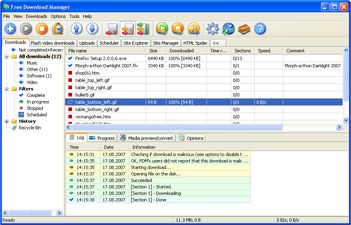
Internet Download Manager 1
Free Internet Download Manager downloads files and convert videos (including flash) faster with open-source Free Download Manager. Its features include integration with all browsers, support of downloads from RapidShare, BitTorrent support, adjusting traffic usage, resuming broken downloads. Free...
DOWNLOADSoftware Catalog
 Android Android |
Business & Productivity Tools |
| Desktop |
Developer Tools |
| Drivers |
Education |
| Games |
Home & Personal |
| Internet & Networking |
Multimedia & Design |
| Operating Systems |
Utilities |


Start Menu Tuner Download
Start Menu Tuner 1.47

Have All Programs In Your Start Menu Become Enormously Numerous?
You bought a computer and started turning it into a habitable thing by installing various useful programs for work and entertainment. But then you opened the Start menu one day and all of a sudden became confused: ‘Where's the program I need in this huge list?'
Catalog - True Solution For Arranging Information
The first librarians have encountered the same problem: ‘How to put great amounts of all this information into order?' Catalogs solved this problem. A catalog allows you to focus on a certain category instead of paying attention to all items. It is possible due to the catalog structure based on the fact that all items have been already sorted by categories. This method turned out to be so good that catalogs continue to serve as a source of trustworthy information even centuries later, in the age of search engines, both for people and for search engines.
The More, The Worse
One huge list makes you look through a lot of unneeded items when you are looking for something. The longer the list is, the more attention and time your search requires. You can observe this oppressive situation on most users' computers, it is enough just to open the ‘All Programs' item in the ‘Start' menu. If it is not the case with you, it is just a matter of time.
What To Do?
So how can you solve the problem of your menu being overfilled with various programs? Restrict your needs? No need to do that! The program Start Menu Tuner will easily solve your problem. Use it to create program categories you need and sort your programs by them.
Result - Quick Access To Any Program
What will you get as a result? Now you will not fall into a stupor at a mere sight of a large choice when you open the menu. Your choice is easy and visual: you see a category, open it and look at a brief list of programs that does not require a bloodhound's skills. You have made your everyday life yet more simple and comfortable.
Size: 704.7 KB | Download Counter: 5
If Start Menu Tuner download does not start please click this:
Download Link 1
Can't download? Please inform us.
Related Software
 Start Menu 7 - A convenient and superior alternative to the Start menu for Windows 7. With Start Menu 7 easy interface, you will quickly forget about the system start menu. Every detail in Start Menu 7 is a pleasure.
 Start Menu Catalog - Has your Start Menu become so massive that you are now having problems finding the necessary programs? If that`s true, you definitely need Start Menu Catalog. Download Start Menu Catalog right now and bring order to your Start menu.
 Classic Start Menu - New Aero skin in Classic Start Menu for Windows Seven. With this program you can bring back the well known classic start menu interface and, at the same time, enjoy the power of new technology: search by name and a skinable interface.
 StartMenu - StartMenu - the program for fast, convenient and visual start of programs. - program as much as possible accelerates start of the necessary programs (with the special menu) - provides fast and convenient administration of the list of started programs.
 CSMenu - CSMenu is a replacement for the default Windows 7 start menu, allowing you to use the original, classic start menu from previous versions of Windows. It is also completely free and easy to setup and install.
 XP App Wizard - Windows XP allows each user to customize his or her Start Menu and startup applications. Unfortunately, it can be difficult and time-consuming to configure the Start Menu. The XP App Wizard allows you to organize your Start Menu user-by-user.
 NewStartMenu - NewStartMenu can replace your start menu with your own menu, it is easy to use! you can switch between your start menu and windows start menu.it can hide your desktop and system tray.
 RunAgent - It's indispensable utility for advanced users. RunAgent is for speed-up of launch often used programs. This program is invisible and appears only when you want it. And now needed applications on hand always without disorder on your screen.
 Customize Start Menu - Customize Start Menu will help you arrange Desktop environment, Start Menu and Quick Launch in blink of an eye!
 AutoRun Creator - AutoRun Creator - Create autorun programs for your CD/DVD quickly.
 Top Downloads
- KDT Soft. Recover Product Key Demo
- System Mechanic Professional
- UltraISO Premium
- Crap Cleaner
- Volume Serial Number Editor
- Manage PC Shutdown
- Minimize to tray
- Shutdown Lock
- Comodo System Cleaner
- Turn Off Monitor

New Downloads
- System Mechanic Professional
- System Cleaner
- WinTools.net Professional
- Smart Defrag
- Flashpaste
- RoboTask
- Advanced Task Scheduler
- USB Secure
- NETGATE Registry Cleaner
- PTFB Pro

New Reviews
- jZip Review
- License4J Review
- USB Secure Review
- iTestBot Review
- AbsoluteTelnet Telnet / SSH Client Review
- conaito VoIP SDK ActiveX Review
- conaito PPT2SWF SDK Review
- FastPictureViewer Review
- Ashkon MP3 Tag Editor Review
- Video Mobile Converter Review
Actual Software
| Link To Us
| Links
| Contact
Must Have
| TOP 100
| Authors
| Reviews
| RSS
| Submit


