




Recommended Software
Internet Download Manager 1
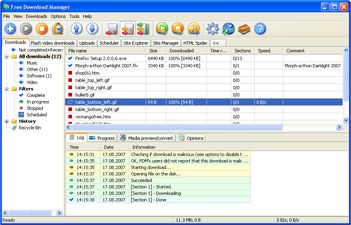
Free Internet Download Manager downloads files and convert videos (including flash) faster with open-source Free Download Manager. Its features include integration with all browsers, support of downloads from RapidShare, BitTorrent support, adjusting traffic usage, resuming broken downloads. Free...
DOWNLOADSoftware Catalog
 Android Android |
Business & Productivity Tools |
| Desktop |
Developer Tools |
| Drivers |
Education |
| Games |
Home & Personal |
| Internet & Networking |
Multimedia & Design |
| Operating Systems |
Utilities |


Sib Icon Editor
Sib Icon Editor 4.0

Category:
Utilities / Icon Tools
| Author: SibCode
DOWNLOAD
Cost: $0.00 USD
License: Freeware
Size: 2.2 MB
Download Counter: 13
Here you will be able to paint images with gradient and chess fill and modify images with drop shadow, opacity, smooth, negative, grayscale, colorize, hue/saturation, color replacement, rotate, roll and mirror effects. A variety of graphic formats are available: you can open and edit ICO, ICPR, BMP, JPEG and PNG images, or you can export your creation to ICO, ICPR, BMP, JPEG and PNG files.
Broad opportunities provided by the program allow you to extract icons from Windows executables, libraries and animated cursor files. Moreover, you can extract icons from all files in selected folders and subfolders and save them as icon libraries.
Besides, in Sib Icon Editor you will find some pleasant features that greatly widen the comfort of the program's use: ability to sort images inside icons and icons inside libraries, ability to customize Windows Desktop and folder icons. The program will let you drag and drop files from file shells or icons between different libraries. Needless to say, that Sib Icon Editor supports all 32-bit Windows, so the type of your OS is not a hindrance to your desktop's perfection!
Requirements: 32 MB RAM, Pentium-233 MHz, 2 MB Hard Disk
OS Support:
Language Support:
Related Software
Cool icon edit | Edit | Edit Icon | Edit pdf icon | Glyph | Icon | Icon Edit | Icon edit free | Icon edit paint | Picture | Picture To Icon | Space-glyph | Text edit icon | Xpstyle glyph
 RV Icon Edit - The program RV Icon Edit makes fast and simply possible for you to create, edit, in and export of Icons and cursors. Application supports the Windows XP True color Icons.
 Icon Converter Plus - This is a powerful package for icon creation, conversion, edit and modification. Make capture from your screen or applications and save into icon or image. Also able to EXTRACT Windows icons from inside of applications and save them into icon.
- Easy Icon Maker - ICON Maker is a small and easy-to-use icon editing program. It allows you editing a transparent or opaque icon. It supports different colors and sizes. It also includes icon tools: Icon Changer , Icon Searcher , and Icon Extractor .
 IconCool Manager - Icon extractor, icon library manager and a directory of 800 icon websites. An icon library with dozens of sample entries is included. You can view icons within files and save them in ICO, GIF, JPG, or convert images in 25 formats to icons.
 IconCool Editor - Powerful icon editor and cursor maker to edit icons, cursors and small web graphics. You can create icons from images of 25 formats or edit icons in exe, dll or icl. Supports 60 image filters, desktop capture, Vista icon editing and more.
 Iconeer - Full featured mac icon creator for Mac OS X icons. Easily creates mac icons of all kinds with real-time preview. Supports all icon suites from System 7 till thumbnail icons of OS X. Features batch icon builder to create number of icons from pictures.
 IconCool Studio - An absolute solution to create, edit, convert, and extract Vista icons and 32-bit icons or cursors. The included Mixer creates custom icons from scratch by multiple layers and a variety of ready-to-use design elements.
 Icon Suite II - Diplodock Icon Suite II is a set of professional programs for icon editing and management integrated in a single suite. It allows an average PC user to quickly find, extract, manage, edit, import, export, or save any icon, cursor, or animated cursor.
 IconEdit2 - Create and edit your icons with easy-to-use TrueColor Icon Editor. IconEdit2 allows you to paint, search for icons in your files and capture screen areas. Supports 256x256 PNG-compressed Windows 7 icons. Allows creating multi-image icon files.
 Instant Icon & Cursor - Make icon & cursors capture anything you see! Or make it from scratch. Frame your target and click. Nothing can stop Instant Icon, it even freezes animations! If you see it on your monitor, it is YOURS! Make tranparent areas, EASY!
 Top Downloads
- Exe Icon Changer
- IconCool Studio
- ActivIcons
- PC Icon Extractor
- RV Icon Edit
- IconCool Editor
- Folder Icon Changer
- 533soft Icon Changer
- Junior Icon Editor
- ArtIcons Pro

New Downloads
- ArtIcons Pro
- Axialis IconWorkshop
- AWicons Pro
- Any to Icon
- Junior Icon Editor
- IconoMaker
- IconEdit2
- ArtIcons
- IconCool Studio
- IconCool Editor

New Reviews
- jZip Review
- License4J Review
- USB Secure Review
- iTestBot Review
- AbsoluteTelnet Telnet / SSH Client Review
- conaito VoIP SDK ActiveX Review
- conaito PPT2SWF SDK Review
- FastPictureViewer Review
- Ashkon MP3 Tag Editor Review
- Video Mobile Converter Review
Actual Software
| Link To Us
| Links
| Contact
Must Have
| TOP 100
| Authors
| Reviews
| RSS
| Submit


