




Recommended Software
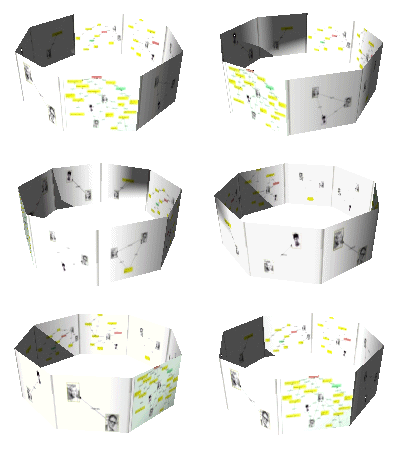
PMM Personal Memory Manager PMM70ST
Philosophy Application - PMM Personal Memory Manager v7.0 (July 2010). A philosophy of memory and the power of belief, called "Constructive Recollection" received its own software application. PMM (Personal Memory Manager) is your life-long support system to constructively recollect what you...
DOWNLOADSoftware Catalog
 Android Android |
Business & Productivity Tools |
| Desktop |
Developer Tools |
| Drivers |
Education |
| Games |
Home & Personal |
| Internet & Networking |
Multimedia & Design |
| Operating Systems |
Utilities |


Remove
Remove 3.1.1
Category:
Utilities / Uninstallers
| Author: Webdesign Mika Salonen
DOWNLOAD
GET FULL VER
Cost: $12.95 USD, 12.95 EUR
License: Shareware
Size: 38.3 KB
Download Counter: 47
In addition to the standard uninstall option, it also allows you to remove, modify, and backup obsolete and other program entries. Remove will uninstall hidden programs and remove their entries as well. With a couple of clicks, you can easily get rid of all unnecessary applications, partially uninstalled software, and entries.
The standard Windows uninstall feature, the Add/Remove Programs from the Control Panel, is a pretty common way to uninstall software. It is also known that it does not show all installed software and has difficulties with deleting the program entries. It is unable to remove the software completely. In such cases, run utilities like Remove.
No gimmicks here, Remove says goodbye to your unwanted software and entries - shown or hidden - and makes it possible to restore one or more program entries already removed from the Add/Remove Programs program list. Have you seen anything like this before?
When comparing Remove with other uninstallers and Add/Remove Programs list cleaners, it is easy to notice that Remove can uninstall and remove much, much more software and entries. In fact, it is more powerful than its competitors because Remove has a great, unique feature: removing hidden programs and entries!
Remove allows you to uninstall software which is installed on your computer but displayed nowhere in the Add/Remove Programs list. In addition to that, when removing entries by accident you can still get them back. Remove has powerful backup features.
Just download a tiny file (39 KB) and give a try - no installation required!
OS Support:
Language Support:
Related Software
Add | Add Remove Programs | Add/remove | Add/remove Programs | Backup | Delete | Entries | Hidden | Mp3 tag remove | Remove | Remove acd see | Remove Red-eye | Remove Startup Programs | Remove Zip | Restore | Spy ad remove | Spy remove ie | Uninstall | Uninstaller | Wav remove hum
 Fine Uninstall - Quick, powerful and easy applications uninstaller.
 Perfect Uninstaller - Perfect Uninstaller is a better way for you to totally uninstall any unwanted application that standard Windows Add/Remove Program can't remove. Perfect Uninstaller offers 100% total uninstall solution for your computer.
 Final Uninstaller - Final Uninstaller, a professional uninstall tool for your PC, offers a new and better way to completely clean up files and registry entries that were left after unsuccessful uninstallation.
 Cleanse Uninstaller - Cleanse is a program uninstaller that will find and remove even the most stubborn of programs. Using the smart Auto Find drag and drop function uninstalling has never been so easy. Uninstall programs even if they don't supply an uninstaller.
 Handy Uninstaller - Handy Uninstaller is a simple, powerful FREEWARE uninstaller. It shows a list of installed programs on your computer and helps to uninstall and remove unwanted programs. It is a fast and powerful alternative to the "Add or Remove Programs".
 Easy Uninstaller - Easy Uninstaller will assist you to manage installed Applications on your computer more efficiently. Easy Analyzer has a very friendly user interface which will make it easy to analyze and keep track of installed Applications.
From Easy Uninstalle
Easy Uninstaller - Easy Uninstaller will assist you to manage installed Applications on your computer more efficiently. Easy Analyzer has a very friendly user interface which will make it easy to analyze and keep track of installed Applications.
From Easy Uninstalle Revo Uninstaller - Revo Uninstaller is a freeware innovative uninstall utility with many cleaning tools included. Much fater than Windows Add/Remove applet. Scans for left over files, folders and registry entries after uninstall. Many cleaning tools included!
 Absolute Uninstaller - This program helps you uninstall applications that you no longer want to use. It can display programs that have missing or bad uninstallers. It offers a more user-friendly way to remove unneeded applications and to improve your computer efficiency.
 Uninstall Plus - Remove any traces of the previous uninstalled or deleted programs. Secure delete sensitive information. Clean junk files and activity traces. Scan identify and correct registry malfunctions. Manage programs that start at boot.
 Advanced Uninstaller PRO - Advanced Uninstaller PRO is the most complete uninstaller program ever created. You can uninstall programs completely and quickly using its simple and easy interface. You can also remove items that other uninstallers can't even touch.
 Top Downloads
- Revo Uninstaller
- Uninstall Plus
- Remove
- Cleanse Uninstaller
- Acute Softwares Timer
- Advanced Uninstaller PRO
- Magic Utilities 2007
- Space Hound 32
- Enhanced Uninstaller
- 3D Visioner - 3D Visualization for Visio

New Downloads
- Advanced Uninstaller PRO
- Revo Uninstaller
- TyphoonInstaller
- Cleanse Uninstaller
- Ashampoo Magical UnInstall
- Magic Utilities 2007
- CleanDisk
- Acute Softwares Timer
- Uninstall Plus
- Advanced Uninstaller PRO 2006

New Reviews
- jZip Review
- License4J Review
- USB Secure Review
- iTestBot Review
- AbsoluteTelnet Telnet / SSH Client Review
- conaito VoIP SDK ActiveX Review
- conaito PPT2SWF SDK Review
- FastPictureViewer Review
- Ashkon MP3 Tag Editor Review
- Video Mobile Converter Review
Actual Software
| Link To Us
| Links
| Contact
Must Have
| TOP 100
| Authors
| Reviews
| RSS
| Submit


