




Recommended Software
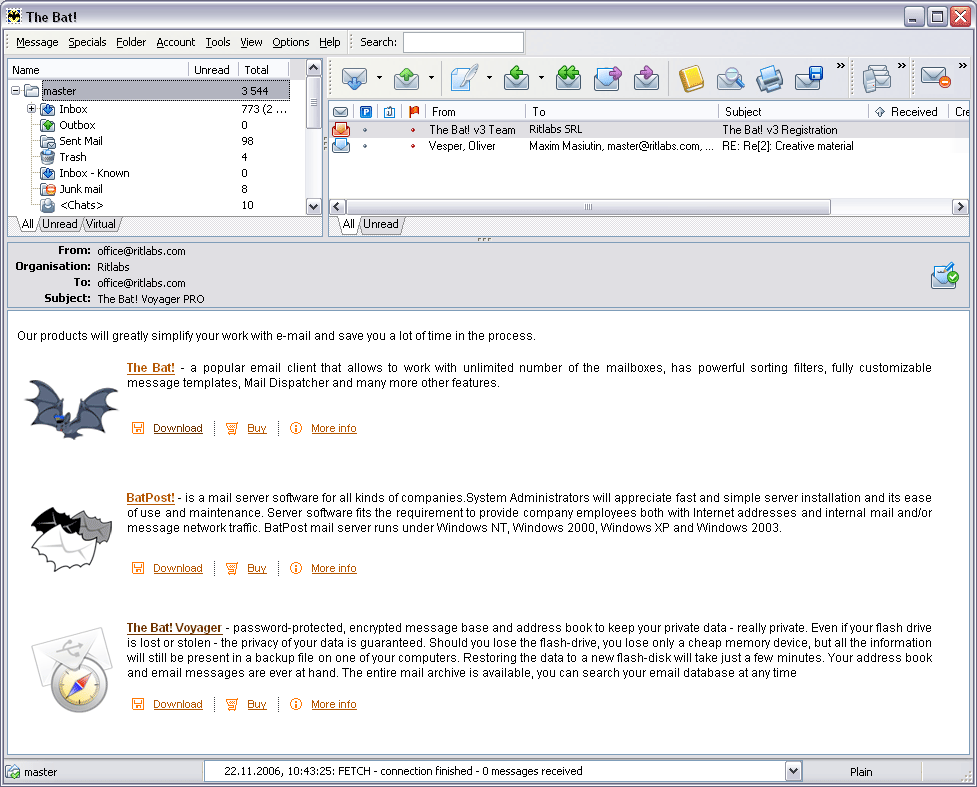
The Bat! 3.95
The Bat! is a powerful, highly configurable, yet easy to use, email client for the casual user or the power user, the home or the office. Unlimited multiple accounts and multiple users Familiar Explorer-style folders for organizing messages Easily configurable user interface with message...
DOWNLOADSoftware Catalog
 Android Android |
Business & Productivity Tools |
| Desktop |
Developer Tools |
| Drivers |
Education |
| Games |
Home & Personal |
| Internet & Networking |
Multimedia & Design |
| Operating Systems |
Utilities |


One Cat File Manager Download
One Cat File Manager 2.20
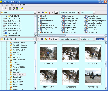
Side by side file management, easy multiple file renaming, and customizable looks combine to make the perfect file manager for Microsoft Windows. Do you find yourself constantly sizing and resizing file management windows when moving or copying files between folders and drives? Have you ever wanted to rename a group of files at once straight from the Windows Explorer file manager without resorting to the command line shell? Or do you just want a custom feel for the File Manager to add the personal touch without affecting every program on the machine? If any of these apply to you, then you will love this program. One Cat File Manager is not wildly different than the built-in Windows Explorer, so it is very quick to get going on it. The most important difference relates to the leftmost 3 icons in the toolbar at the top of the program. These allow you to quickly change between a single file pane and two panes. With one click you have two file explorers side by side that work independently from each other. Copying and moving files around now is a breeze. There's a drop-down menu for frequently viewed file paths. One Cat File Manager also makes renaming files easy. Just select the files you want to rename and bring up the rename file window by clicking on the a-b icon. You can make your changes to an entire set of files complete with a preview of how they will turn out. No more pattern-based "OOPS!" problems in the command line. Windows XPs default file manager displays all image thumbnails at the same, rather small, size. One Cat File Manager lets you change the thumbnail size to make it bigger or smaller to fit your needs. You can also set the font and colors to suit your style. One Cat File Manager does not overwrite the built-in file manager, Windows Explorer. Some programs replace the Windows Explorer, One Cat File Manager does not. It runs as a separate stand-alone program living peacefully on your computer with other programs.
Size: 986.3 KB | Download Counter: 3
If One Cat File Manager download does not start please click this:
Download Link 1
Can't download? Please inform us.
Related Software
 FontExpert 2006 - This font manager allows you to preview and manage both installed and uninstalled typefaces and examine your system for font errors. You can display the list of installed font faces, customizable font samples and advanced font properties.
 Meta Commander Pro file manager - A smart pop-up menu containing all your disks, folders and files. It can be called from anywhere you need it. Extremely easy-to-use, very customizable, Meta Commander greatly boosts the speed of your file browsing.
 Synops'Tools - Synops'Tools is a powerful application to browse, organize and manage files in a very simple and fast way. It is fully shell integrated, extremely usable and allows to view over 200 file formats. It's the only one all-in-one software solution !
 Manage My Fonts - It helps the administrator or user of a computer to install, activate or deactivate, delete and generally manage font files on a computer.
 WMI Explorer - Explorer allows you to
- Explore the full set of WMI management classes, objects and their properties
- Browse through objects and settings on remote machines
- Execute any WQL query and view the result set
WMI Explorer - Explorer allows you to
- Explore the full set of WMI management classes, objects and their properties
- Browse through objects and settings on remote machines
- Execute any WQL query and view the result set MainType - MainType is a powerful font manager that offers a straightforward and easy-to-use interface to help you maintain your fonts. You can use it to install, uninstall, preview and group your fonts, print reports, reveal detailed font information and more.
 AMI Font Wrangler - AMI Font Wrangler is the TrueType font manager that makes it easy to install, remove, rename, and copy fonts. You can quickly browse and weed installed and downloaded font collections, print a contact sheet, and resolve typeface name conflicts.
 xplorer2 - All the shell goodies from windows explorer, none of the hassle! Plus all the features you would expect from a powerful tabbed dual-pane file manager, including Omni-Finder, a find files module that searches everywhere with arbitrary criteria
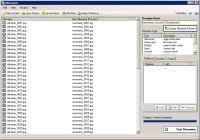 ABrename - ABrename is an advanced batch renaming suite for professional file organizing and ordering and is intended for both beginning and advanced level computer user.
 FontLoader - FontLoader an utility to make your TrueType font installation a snap. It consists of a shell extension and a font loader module that sits in the system tray, providing you to quick acces to font groups that can be loaded/unloaded on the fly.
 Top Downloads
- Total Commander
- WinBin2Iso
- Hard Drive Mechanic
- WinMount
- Export Lotus Notes Address Book
- Notes to Outlook
- Secure File Vault
- EASEUS Partition Manager
- Drive Discovery
- BootIt Next Generation

New Downloads
- WinNc
- DiskSavvy Server
- Undela
- RescuePRO
- Hard Drive Mechanic
- Active SMART
- WinISO
- Outlook Recovery
- FlashPhoenix Photo Recovery
- Recovery For SQL Server

New Reviews
- jZip Review
- License4J Review
- USB Secure Review
- iTestBot Review
- AbsoluteTelnet Telnet / SSH Client Review
- conaito VoIP SDK ActiveX Review
- conaito PPT2SWF SDK Review
- FastPictureViewer Review
- Ashkon MP3 Tag Editor Review
- Video Mobile Converter Review
Actual Software
| Link To Us
| Links
| Contact
Must Have
| TOP 100
| Authors
| Reviews
| RSS
| Submit


