




Recommended Software
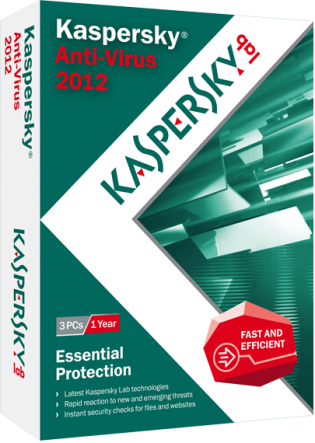
Kaspersky Anti-Virus 2012
Essential Protection—Kaspersky Anti-Virus delivers core protection from the latest viruses, malware, and more. It works behind-the-scenes with intelligent scanning and small, frequent updates, while proactively protecting you from known and emerging threats. • Harnesses the power of the...
DOWNLOADSoftware Catalog
 Android Android |
Business & Productivity Tools |
| Desktop |
Developer Tools |
| Drivers |
Education |
| Games |
Home & Personal |
| Internet & Networking |
Multimedia & Design |
| Operating Systems |
Utilities |


Multi Clipboard
Multi Clipboard 10.12.01

Category:
Developer Tools / Editors, IDEs & Coding Utilities
| Author: ElectraSoft
DOWNLOAD
GET FULL VER
Cost: $19.99 USD
License: Shareware
Size: 349.0 KB
Download Counter: 13
Multi Clipboard gives you a holding area for up to 33 fields of text, each of which can contain up to 10,240 characters. Organize bits of text you frequently use in one of the 33 buttons, and then customize the button with a friendly name. When you're ready for that string of text, just push the button to send it to the Windows Clipboard for manual pasting into your document. Multi Clipboard supports multiple databases, so you may have different collections of text strings for various projects. If you find yourself filling in the same forms again and again, this might be a nice tool to have.
When filling in forms, etc, it is nice to have all the information on a given subject at your disposal. With Multi Clipboard you can, with just one mouse click, select the project of your choice and have access to 33 fields pertaining to a given subject. At the click of any one of 33 buttons, you can copy up to 10240 characters of text into the Windows Clipboard system.
Requirements: Windows
OS Support:
Language Support:
Related Software
Clipboard box | Clipboard cad | Clipboard Programs | Clipboard Software | Copy | Multi Clipboard | Multi-clipboard | Paste | Windows | Windows Clipboard | Windows Clipboard Extend | Windows Clipboard Tool | Windows Clipboard Utilit
 M8 Free Multi Clipboard - M8 is the simplest of all multi-clipboard and screenshot programs. It captures all screen shots and everything you cut or copy from other programs. It keeps up to 500 clips. When you want to paste one back, restore M8 and click on the clip you want
 Clippity Dippity Do - CDD enhances the functionality of the Windows Clipboard copy & paste operations. With CDD you can convert all data copied to plain text, log and backup the clipboard, convert JAVASCRIPT URL's to plain URL's, and build a list of data items.
 Spartan Portable Multi Clipboard - Have you ever needed information on one computer that you have on another? Forget transferring files. Spartan is a multi clipboard that runs entirely from a plug in flash drive. Plug into one PC and copy. Plug into another and paste. Its that easy.
 Many Paste - The problem with the Windows clipboard is that you can only copy once before pasting , Many Paste solves such problem by keeping track of all your copied items and giving you quick access to them saving your time while working with copying.
 Visual Clipboard - Handy clipboard history manager. Just hold mouse button or press Ctrl+Alt to view/edit clipboard content. It is the simplest and fast clipboard manager.
 Free Clipboard Viewer - The clipboard viewer is a handy way to see exactly what's on your clipboard. Whenever you want to see exactly what's being stored in your clipboard run Free Clipboard Viewer. It lists the available formats that is currently stored on the clipboard.
 Clipboard Magic - Clipboard Magic is a freeware Windows Clipboard enhancement tool. Any text copied to the Windows clipboard is automatically archived in Clipboard Magic. This text may be copied back to the clipboard with a click of the mouse.
 A to Z Clipboard - A to Z Clipboard is a free utility which allows you to copy up to 25 times before pasting. (Unlike the Windows clipboard which only allows you to copy once.)
 Clipdiary - Clipdiary is a clipboard utility for keeping the clipboard history. Install our clipboard utility and you will never lose data once copied. Clipdiary will record everything you place to clipboard into database and you can copy data into clipboard
 AccelClip - This universal and secure clipboard extension tool is combined with a file viewer and can be used as a regular clipboard, a password manager, templates storage, forms filler, viewer of documents (40+ formats) with copy/paste options, etc.
 Top Downloads
- Frame Photo Editor
- 101 Clips - Multi Clipboard
- FCleaner
- Registry Clean
- Code to Flow chart generator
- DzSoft Perl Editor
- Hex Editor Neo
- Clean My Registry
- MySQL Dump Timer
- Registry Cleaner

New Downloads
- PowerGREP
- DzSoft Perl Editor
- EditPad Pro
- Hex Editor Neo
- HelpScribble
- M8 Free Multi Clipboard
- Registry Clean
- Clean My Registry
- Fix My Registry
- Registry Cleaner

New Reviews
- jZip Review
- License4J Review
- USB Secure Review
- iTestBot Review
- AbsoluteTelnet Telnet / SSH Client Review
- conaito VoIP SDK ActiveX Review
- conaito PPT2SWF SDK Review
- FastPictureViewer Review
- Ashkon MP3 Tag Editor Review
- Video Mobile Converter Review
Actual Software
| Link To Us
| Links
| Contact
Must Have
| TOP 100
| Authors
| Reviews
| RSS
| Submit


