




Recommended Software
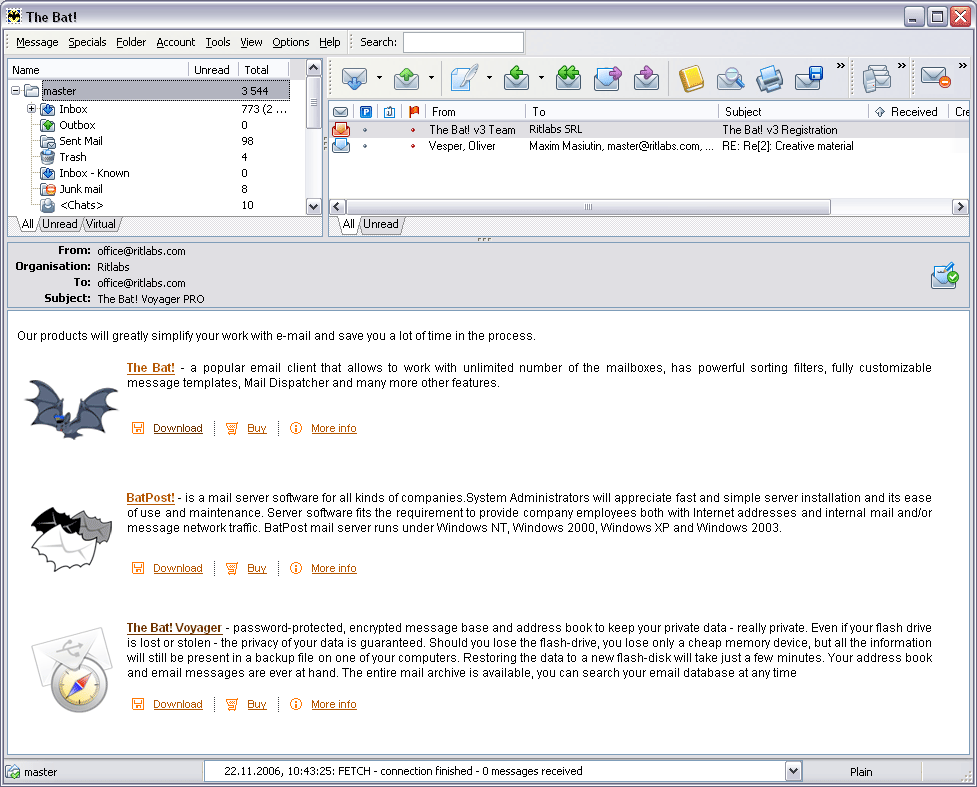
The Bat! 3.95
The Bat! is a powerful, highly configurable, yet easy to use, email client for the casual user or the power user, the home or the office. Unlimited multiple accounts and multiple users Familiar Explorer-style folders for organizing messages Easily configurable user interface with message...
DOWNLOADSoftware Catalog
 Android Android |
Business & Productivity Tools |
| Desktop |
Developer Tools |
| Drivers |
Education |
| Games |
Home & Personal |
| Internet & Networking |
Multimedia & Design |
| Operating Systems |
Utilities |


MountFocus Keyboard Designer
MountFocus Keyboard Designer 3.2


Category:
Developer Tools / Specialized Tools
| Author: MountFocus Information Systems
DOWNLOAD
GET FULL VER
Cost: $97.00 USD
License: Shareware
Size: 6.2 MB
Download Counter: 19
Requirements: 10 MB hard disk space, 32 MB RAM
OS Support:
Language Support:
Related Software
Browser | Ezi keyboard | Interface | Keyboard | Keyboard ip | Keyboard kph | Keyboard ocx | Keyboard Spy | Keyboard to hex | Keyboard wav | Keyboards | Kiosks | Kph keyboard | On Screen Keyboard | Onscreen Virtual Keyboard | Point Of Sale | Pos | Touchscreen | Virtual Keyboard
 Jitbit Virtual Keyboard - Jitbit VirtualKeyboard is a multilingual on-screen virtual keyboard. Type text with your mouse, trackball or stylus (digital pen used by Tablet PC devices with a touch screen), whenever you are unable to use a physical computer keyboard.
 Softboy.net On Screen Keyboard - Softboy.net On-screen-keyboard can be useful if you have mobility impairments, if you are using a tablet PC, or if your keyboard goes down. And it can works well on touch-screen. This a demo keyboard which includes the main keys on a normal keyboard.
 CyberBrowser - Continuously refined over the past ten years, CyberBrowser is unlike any other secure browser because its features have been developed specifically for interactive, touch-screen kiosks.
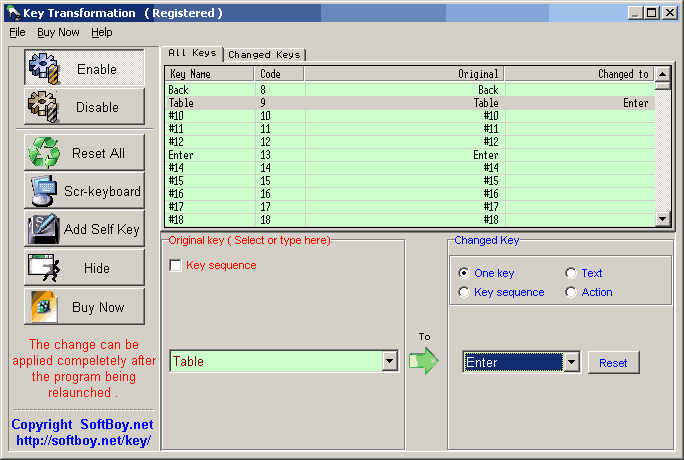 Key Transformation - Key Transformation can customize your keyboard layout, change any key on the keyboard to other keys. Its on-screen-keyboard ( soft keyboard ) is very easy to use.
- Keystroke Converter - Keystroke Converter can customize your keyboard layout, change any key on the keyboard to other keys, replace keyboard shortcuts, execute micro or windows action.
 Frontype - Instead of lessons do your usual work and type still faster and faster! Please read Frontype Method. Five easy steps to touch-typing. http://www.frontype.com/about_two.php
 Automatic Mouse and Keyboard - Automatic Mouse and Keyboard is a really powerful and easy-to-use Mouse and Keyboard automation tool. It simulate a lot of mouse and keyboard actions. It can use a small picture to locate a point on the screen.
- KeyExtender - KeyExtender can change any key on the keyboard into other keys or key combinations. With it,you also can change your common 102 keyboard into a multifunctional one without costing much money.
 Hot Keyboard Pro - Using Hot Keyboard, you can record and play keystrokes, mouse actions, launch applications, paste text, open documents and more
 TouchDown - TouchDown virtual keyboard is your new way to type! Based on keystroke and line drawing, using large keys that can be pressed easily. You can even ??¦ walk and type!
 Top Downloads
- HelpSmith
- SmartSniff for COM, LPT, USB.
- VB Decompiler
- Multi-Instrument Pro
- Blade API Monitor
- Alloy
- Virtins Pocket Signal Generator
- InstallAware Developer for Windows Installer
- HelpNDoc
- Basic4ppc

New Downloads
- HelpSmith
- Blade API Monitor
- HelpGear
- HelpNDoc
- WinCHM - help authoring software
- Bee Explorer
- ZigBee Operator
- VB Decompiler
- Alloy
- InstallAware Developer for Windows Installer

New Reviews
- jZip Review
- License4J Review
- USB Secure Review
- iTestBot Review
- AbsoluteTelnet Telnet / SSH Client Review
- conaito VoIP SDK ActiveX Review
- conaito PPT2SWF SDK Review
- FastPictureViewer Review
- Ashkon MP3 Tag Editor Review
- Video Mobile Converter Review
Actual Software
| Link To Us
| Links
| Contact
Must Have
| TOP 100
| Authors
| Reviews
| RSS
| Submit


