




Recommended Software
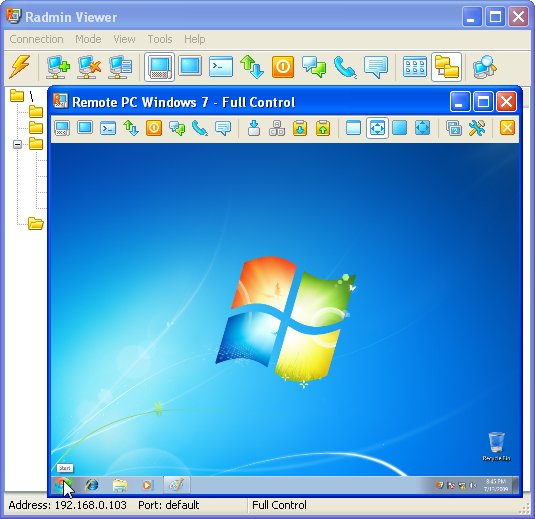
Radmin Remote Control 3.4
Radmin (Remote Administrator) is the famous remote administration software for remote computer control. It enables you to access a remote PC via a LAN or over the Internet in multiple modes: remote file access, remote assistance, full remote computer control, Telnet, text and voice chat. Strong...
DOWNLOADSoftware Catalog
 Android Android |
Business & Productivity Tools |
| Desktop |
Developer Tools |
| Drivers |
Education |
| Games |
Home & Personal |
| Internet & Networking |
Multimedia & Design |
| Operating Systems |
Utilities |


Java Help Download
Java Help 2.0

Java Help is a swift Java API lookup program. Designed to be invoked from a text editor, Java Help lets you search multiple APIs with a single keystroke. Place the cursor on a word you want to search for and press a key; Java Help comes up instantaneously with a list to choose from. Most popular editors are supported, including CRiSP, EditPlus, Epsilon, jEdit, NoteTab, TextPad, UltraEdit, VEdit, WinEdit, ZeusEdit. Most others can be configured.
INSTALLATION
To install Java Help, run JHelp20.exe, which will guide you through the standard installation steps. The installer will add a 'Java Help' shortcut to your Start menu. Please note that running it from the Start menu is not the standard way to invoke Java Help; you are supposed to start it from your editor. In fact, in the ideal scenario, you will not explicitly run any of these executables! You press a function key and Java help comes up instantly.
To uninstall Java Help, use Add/Remove Programs from the Control Panel.
ADDING APIS FOR LOOKUP
After installing Java Help, you need to tell it what APIs you want to search. You can add APIs whenever you wish, but to begin with, you may like to add the Sun JDK API. This also ensures that when you set up your editor, Java Help will have something to show you.
Run Java Help from Windows Start menu and click the API icon in the toolbar. A dialog box titled "Java Help - API's To Be Searched" comes up. Click the Add New button and navigate to the directory where you installed the Sun JDK API documentation (Note that the directory always ends in docs\api and contains files such as allclasses-frame.html, deprecated-list.html etc.). Click Select. This brings up another dialog box, to create a file named Search.txt. Java Help uses this file for lookup purposes. Click OK and wait for the process to complete. Once the file is created, you will come back to the API's dialog box, and the new API is added to the list. Click OK. Now the API is ready to be searched.
Size: 1.0 MB | Download Counter: 10
If Java Help download does not start please click this:
Can't download? Please inform us.
Related Software
 GWD Text Editor - GWD Text Editor is a powerful shareware text for Windows. Features include configurable syntax highlighting, ANSI C compatible macro language, projects (IDE for Borland C++ and Java), plug-ins, FTP client, keystroke macros...
 HTML-Kit - HTML-Kit is a full-featured editor designed to help HTML, XHTML, XML and script authors to edit, format, lookup help, validate, preview and publish web pages.
 EmEditor Text Editor Standard - EmEditor is a text editor for Windows that fully supports Unicode, enabling you to edit multiple languages. Designed for Windows XP and Windows Vista.
 Source Editor - A simple editor with text coloring. You can edit next types of files: Assembler(.asm, .inc), C/C++(.c, .cpp, .h), C#(.cs), Java(.java), Resources(.rc), XML (.xml, .config,...), CSS (.css), JavaScrip (.js), ASP.NET files (.aspx, .ascx...).
 EmEditor Standard (Windows 98/Me) - EmEditor is a text editor for Windows that fully supports Unicode, enabling you to edit multiple languages.
 EmEditor Professional (Windows 98/Me) - EmEditor Professional is a text editor for windows supporting macros using JavaScript or VBScript, Unicode, plug-ins, regular-expression search, find or replace in files, syntax highlighting, powerful tab feature, and more.
 WireFusion - WireFusion is a professional tool for creating plugin-free interactive presentations for the web. WireFusion can be extended with add-ons to support for example interactive 3D, slide shows, MPEG video and MP3 sound.
 EmEditor Text Editor Free - EmEditor Text Editor Free is a free text editor for Windows that fully supports Unicode, enabling you to edit multiple languages. Designed for Windows XP and Windows Vista.
 SMS XL - Mysmsmantra.com SMS-Excel Plugin makes the task of sending Bulk SMS very easy for our users. SMS-Excel Plugin seamlessly integrates with Microsoft Excel and enables you to send SMS to mobile phones all over india from your PC using Microsoft Excel.
 Wacker Art RGB Color Mixer - With the RGB Color Mixer Applet it is possible to define the RGB values of a selected color.
The color can be defined with 7 sliders or with a random function.
The program requires a browser with Java Plugin 1.4.2.
Wacker Art RGB Color Mixer - With the RGB Color Mixer Applet it is possible to define the RGB values of a selected color.
The color can be defined with 7 sliders or with a random function.
The program requires a browser with Java Plugin 1.4.2.
 Top Downloads
- HelpSmith
- SmartSniff for COM, LPT, USB.
- VB Decompiler
- Multi-Instrument Pro
- Blade API Monitor
- Alloy
- Virtins Pocket Signal Generator
- InstallAware Developer for Windows Installer
- HelpNDoc
- Basic4ppc

New Downloads
- HelpSmith
- Blade API Monitor
- HelpGear
- HelpNDoc
- WinCHM - help authoring software
- Bee Explorer
- ZigBee Operator
- VB Decompiler
- Alloy
- InstallAware Developer for Windows Installer

New Reviews
- jZip Review
- License4J Review
- USB Secure Review
- iTestBot Review
- AbsoluteTelnet Telnet / SSH Client Review
- conaito VoIP SDK ActiveX Review
- conaito PPT2SWF SDK Review
- FastPictureViewer Review
- Ashkon MP3 Tag Editor Review
- Video Mobile Converter Review
Actual Software
| Link To Us
| Links
| Contact
Must Have
| TOP 100
| Authors
| Reviews
| RSS
| Submit


