




Recommended Software
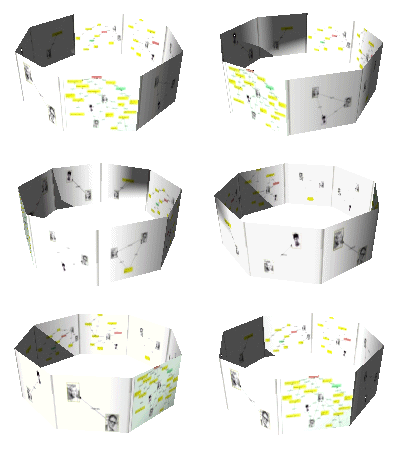
PMM Personal Memory Manager PMM70ST
Philosophy Application - PMM Personal Memory Manager v7.0 (July 2010). A philosophy of memory and the power of belief, called "Constructive Recollection" received its own software application. PMM (Personal Memory Manager) is your life-long support system to constructively recollect what you...
DOWNLOADSoftware Catalog
 Android Android |
Business & Productivity Tools |
| Desktop |
Developer Tools |
| Drivers |
Education |
| Games |
Home & Personal |
| Internet & Networking |
Multimedia & Design |
| Operating Systems |
Utilities |


Flashpaste Professional Download
Flashpaste Professional 4.51
Tired of typing the same text over and over? Stop! Flashpaste can help!
Flashpaste is a new breed of text copying utility. The Windows clipboard is enough for
most computer users but writers, coders, and developers need a more powerful, easily
customizable and practical tool. Flashpaste is all that, and more.
Flashpaste has two key features. The first is smart text insertion. While writing e-mails
or creating documents, people frequently copy and paste the same words, phrases,
greetings, e-mail addresses and URLs. This is especially true for those who provide
technical support via e-mail, because most questions have already been asked and answered
numerous times. Flashpaste is also a handy tool for web developers and web designers to
easily copy and paste repeated strings of HTML code.
How does it work?
With Flashpaste, a user "programs in" frequently used addresses, e-mail text blocks, HTML
codes, words, phrases and paragraphs. Then, the material can be inserted by just pressing
a hotkey to launch a selection list, and choosing the desired item to insert.
Flashpaste can also be used to create macros, strings that are either replaced or
processed by an application. Using macros, you can paste current time and date, insert
commands that emulate pressing the Tab or Enter keys, and more.
Anything else?
Flastpaste also offers a clipboard history. While the standard Windows clipboard inserts
only the last copied text segment, Flashpaste records all recently copied words, numbers
and phrases, allowing easy reuse. This feature eliminates repeated copying and pasting,
and is tremendously useful for software developers and writers.
What can Flashpaste do for me?
- Saves time
- Eliminates repetitive retyping of the same text over and over
- Helps to avoid typos
Size: 1.2 MB | Download Counter: 2
If Flashpaste Professional download does not start please click this:
Can't download? Please inform us.
Related Software
 Flashpaste - Flashpaste is user friendly but powerful extension to the normal copy and paste feature built into Windows. You can plan and categorize your own text templates for quick and easy access to text and code that you use regularly.
 Visual Clipboard - Handy clipboard history manager. Just hold mouse button or press Ctrl+Alt to view/edit clipboard content. It is the simplest and fast clipboard manager.
 Flashpaste Lite - Bored with typing the same text over and over? Stop! Flashpaste can help!
With Flashpaste, a user "programs in" frequently used addresses, e-mail text blocks, HTML codes, words, phrases and paragraphs. Then, the material can be easy inserted.
Flashpaste Lite - Bored with typing the same text over and over? Stop! Flashpaste can help!
With Flashpaste, a user "programs in" frequently used addresses, e-mail text blocks, HTML codes, words, phrases and paragraphs. Then, the material can be easy inserted. Clippity Dippity Do - CDD enhances the functionality of the Windows Clipboard copy & paste operations. With CDD you can convert all data copied to plain text, log and backup the clipboard, convert JAVASCRIPT URL's to plain URL's, and build a list of data items.
 Clipdiary - Clipdiary is a clipboard utility for keeping the clipboard history. Install our clipboard utility and you will never lose data once copied. Clipdiary will record everything you place to clipboard into database and you can copy data into clipboard
 Clipboard Magic - Clipboard Magic is a freeware Windows Clipboard enhancement tool. Any text copied to the Windows clipboard is automatically archived in Clipboard Magic. This text may be copied back to the clipboard with a click of the mouse.
 Clipboard Assistant - Clipboard Assistant is intended for an acceleration and a simplification of text operations via the Clipboard. You can use it while you are writing programs, filling Web forms, making sections of related news items, etc. You can create collections of
 DzSoft Paste & Save - Paste & Save is a handy little utility that can save pieces of text on the Clipboard for reuse, before you accidentally overwrite it. Allows to sort the text into three files. Can save all copied text automatically. Has a convenient floating toolbar.
 FastPaste - FastPaste does save your time. Paste frequently used text, formatted text and images with custom hotkeys! Makes it easy to enter frequently used text blocks: signatures, e-mail addresses, Internet and IP addresses, logins or passwords, etc.
 Global Clipboard - Global Clipboard saves all information which is copied in a clipboard. Allows to easily fill in forms, see statistics for the text and images, accumulate the text, restore contents of a clipboard, change the register of the text and transform images
 Top Downloads
- Clipboard Monitor
- A to Z Clipboard
- Visual Clipboard
- Clipboard Assistant
- Clipdiary
- Free Clipboard Viewer
- AceText
- DzSoft Paste & Save
- Clipboard Magic
- AccelClip

New Downloads
- Staxofax
- Spartan Portable Multi Clipboard
- Clipboard Assistant
- CopyPlus
- Spartan Multi Clipboard
- Clipboard Magic
- A to Z Clipboard
- AceText
- ClipSize
- Clipdiary

New Reviews
- jZip Review
- License4J Review
- USB Secure Review
- iTestBot Review
- AbsoluteTelnet Telnet / SSH Client Review
- conaito VoIP SDK ActiveX Review
- conaito PPT2SWF SDK Review
- FastPictureViewer Review
- Ashkon MP3 Tag Editor Review
- Video Mobile Converter Review
Actual Software
| Link To Us
| Links
| Contact
Must Have
| TOP 100
| Authors
| Reviews
| RSS
| Submit


