




Recommended Software
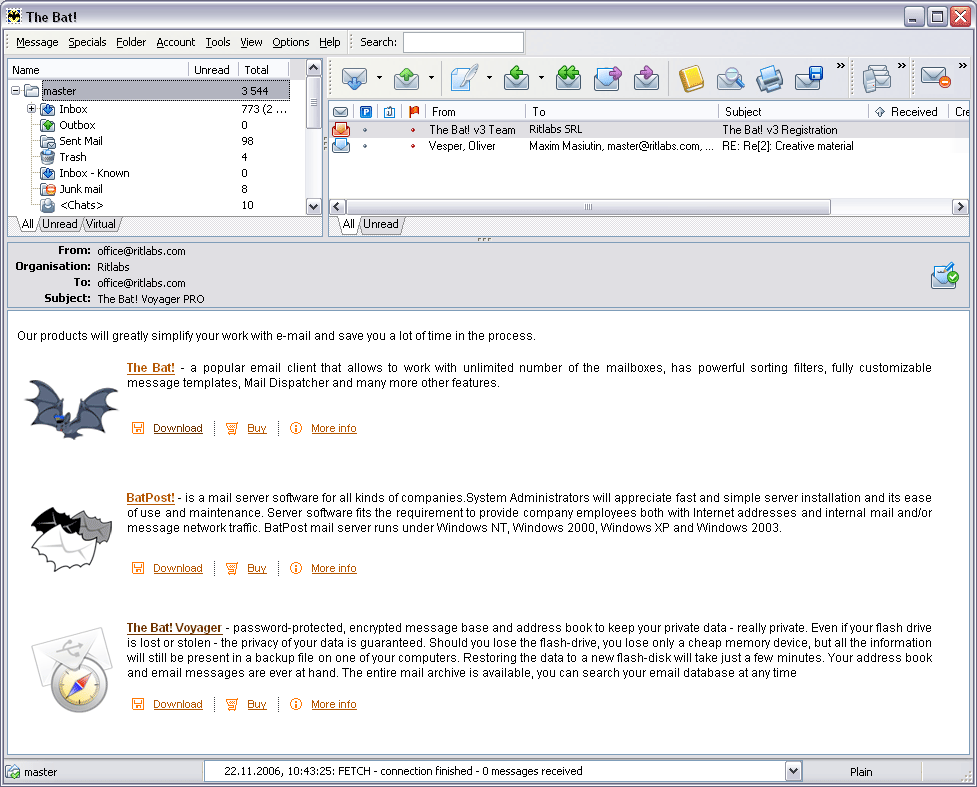
The Bat! 3.95
The Bat! is a powerful, highly configurable, yet easy to use, email client for the casual user or the power user, the home or the office. Unlimited multiple accounts and multiple users Familiar Explorer-style folders for organizing messages Easily configurable user interface with message...
DOWNLOADSoftware Catalog
 Android Android |
Business & Productivity Tools |
| Desktop |
Developer Tools |
| Drivers |
Education |
| Games |
Home & Personal |
| Internet & Networking |
Multimedia & Design |
| Operating Systems |
Utilities |


Extra Drive Creator Professional Download
Extra Drive Creator Professional 7.2
Extra Drive Creator Pro - suite of tools for creating Extra drives on your computer. The program includes tools for creating Encrypted drives, Virtual CD-ROMs, Virtual Drives based on files, Virtual Drives based on folders, RAM-drives...
Extra Drive Creator contains tools:
Crypted Drive - tool is used for creating Crypted drives on your computer. On this drive you can store confidential information which you`d like to keep secret from other users. The drive is crypted by 256-bit (32 symbols) password using "AES256" algorithm in real-time mode (this ensures steady protection of your data against hacking).
Virtual CD - tool is used for creating and reading ISO-images of CD-ROMs and also for mounting them as Virual CD-ROMs on your computer. On creating Virtual CD in Explorer of your computer will appear Virtual CD-ROM and ISO-image on your hard drive on which information from created drive will be kept.
File to Drive - tool is used for creating extra drive without partitioning hard drive of your computer on additional drives. This tool uses file as basis for extra drive. After creation, Windows Explorer will show an extra drive and container file on your hard drive on which will be kept information from created drive.
Folder Drive - tool is used for creating an extra drive without creating more partitions on the hard drive of your computer. This tool uses a folder as a basis for the extra drive and serves for making access to frequently used folders of your computer more easy.
RAM Drive - tool is used for creating an extra drive without creating more partitions on the hard drive of your computer. This tool uses RAM memory as a basis for an extra drive. All information kept on this drive will be lost after reboot of your computer. Similar drives are used for storing temporary information (TEMP/TMP computer variables) or for applications which need maximum access speed to drive.
Size: 490.2 KB | Download Counter: 21
If Extra Drive Creator Professional download does not start please click this:
Download Link 1 | Download Link 2
Can't download? Please inform us.
Related Software
 Extra Drive Creator Basic - "Extra Drive Creator" - program designed to make access to frequently used folders of your computer easier. It is also used to create, edit and remove virtual drives of your computer.
 Extra Subst - Extra Subst - program designed to make access to frequently used folders of your computer easier. It is also used to create, edit and remove virtual drives of your computer.
 XtraTools 2007 - XtraTools 2007 - a set of applications consisting of more than 20 independent system utilities that are complimentary to the standard MS Windows utilities. XtraTools increases productivity and makes working with MS Windows easier.
 WinTools.net Extra - A suite of tools for increasing MS Windows operating system performance. WinTools.net Extra contains tools: Clean Uninstaller, Scan Files, Scan Registry, Start Up, Tweak UI, Encrypted Disk, The Eraser, Invisible Man, File Shredder...
 WinTools.net - Suite of tools for increasing operating system performance. WinTools.net cleanly removes software from disk drives and dead references from the Windows registry. WinTools.net gives you control of start up process and customize system settings.
 Virtual Drive Creator - Create Virtual Drives from long paths, it's easy! Type or browse to the full path, choose a drive letter and Click [Add Virtual Drive]. Make CD-ROMs obsolete, copy the contents of the CD-ROM to your Hard Drive and run the CD from there.
 HDDPhysic - HDD- Hard drive Physic Information, Serial number DLL SDK Component.
 Drive - Drive is a great Windows-based, full-featured pop-up drive browser, virtual drive creator, CD autorunner, and much more. You are able to get a fast access to your drives at any time and create/remove permanent or temporary virtual drives!
 Volume Serial Number Editor - Volume Serial Number Editor can modify your disk drive's Volume Serial Number (not hard disk's physical serial which you can find at back of your hard disk), the format of Volume Serial Number is: XXXX-XXXX. Supports FAT, FAT32, NTFS file systems.
- CD Tray Pal - CD Tray Pal is a handy utility that acts as a CD-ROM Drive control menu. It runs in the system tray and makes opening/closing CD door easier than ever, even on multiple CD-ROM drives! Freeware.
 Top Downloads
- Total Commander
- WinBin2Iso
- Hard Drive Mechanic
- WinMount
- Export Lotus Notes Address Book
- Notes to Outlook
- Secure File Vault
- EASEUS Partition Manager
- Drive Discovery
- BootIt Next Generation

New Downloads
- WinNc
- DiskSavvy Server
- Undela
- RescuePRO
- Hard Drive Mechanic
- Active SMART
- WinISO
- Outlook Recovery
- FlashPhoenix Photo Recovery
- Recovery For SQL Server

New Reviews
- jZip Review
- License4J Review
- USB Secure Review
- iTestBot Review
- AbsoluteTelnet Telnet / SSH Client Review
- conaito VoIP SDK ActiveX Review
- conaito PPT2SWF SDK Review
- FastPictureViewer Review
- Ashkon MP3 Tag Editor Review
- Video Mobile Converter Review
Actual Software
| Link To Us
| Links
| Contact
Must Have
| TOP 100
| Authors
| Reviews
| RSS
| Submit


