




Recommended Software
PMM Personal Memory Manager PMM70ST
Philosophy Application - PMM Personal Memory Manager v7.0 (July 2010). A philosophy of memory and the power of belief, called "Constructive Recollection" received its own software application. PMM (Personal Memory Manager) is your life-long support system to constructively recollect what you...
DOWNLOADSoftware Catalog
 Android Android |
Business & Productivity Tools |
| Desktop |
Developer Tools |
| Drivers |
Education |
| Games |
Home & Personal |
| Internet & Networking |
Multimedia & Design |
| Operating Systems |
Utilities |


Complete Process Manager Download
Complete Process Manager 1.1
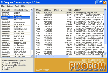
What can Complete Process Manager do for me? Complete Process Manager helps you detect the invisible applications which are running in the background and identify them. Furthermore Complete Process Manager helps you detect the startup programs which start automatically whenever you turn on your computer. Typical examples are adware, spyware, trojan and malware which start automatically and run in the background without your permission. Other examples include useless programs an service programs which have no other effect then eating up your computer resoures like RAM and CPU. Which information about the running processes does Complete Process Manager show? To view extended information click any of the entries on the left pane. The right pane will then show detailed information such as exe path, size, etc. Can I stop any of the running programs? Yes. To do so right-click the program name on the left pane and click "Kill". Alternatively you can select (highlight) the entry on the left pane and click "Kill" under "Main" menu option. Can I add or remove any of the startup programs? Yes. Click "Startup Manager" under "Tools" menu option. "Startup Manager" window will open. To disable an item uncheck that item. To permanently remove the item highlight it and click the minus button. To add a program to start automatically during Windows startup, click the plus button, specify a program in the "Command Line" field, enter a name in the "Name" field and click the "Add" button.
Size: 675.0 KB | Download Counter: 20
If Complete Process Manager download does not start please click this:
Download Link 1
Can't download? Please inform us.
Related Software
 Easy Registry Optimizer - Safety: Always back up your registry and restore if registry gets currupted or spy/adware changes registry values. Optimization and fault prevention: Remove invalid registry entries to make Windows and programs run faster and with less errors.
 Complete Registry Cleaner - Complete Registry Cleaner is a utility to make your computer run faster and smoother. By time Windows registry gathers a lot of invalid entries that cause system complications and slow down your computer significantly.
 Auslogics Registry Defrag - Auslogics Registry Defrag can significantly speed up your computer by helping you to defragment the Registry, remove gaps and make it contiguous, smaller and faster to access. The program is free of charge.
 Memory Defragmenter - ABEXO Memory Defragmenter, also called RAM defragmenter, RAM/memory booster, RAM/memory optimizer, etc. is a software to free up wasted RAM and report the free memory.Also prevents Windows crashes.
 Abexo Memory Defragmenter - Abexo Memory Defragmenter, also called RAM defragmenter, RAM/memory booster, RAM/memory optimizer, etc. is a software to free up wasted RAM and report the free memory.Also prevents Windows crashes.
 Abexo Registry Cleaner - Abexo Registry Cleaner reduces the query time by detecting and removing invalid data from registry followed by a defragmentation. The resulting registry database will have little to no errors.
 My Defragmenter - Discover My Defragmenter - the powerful, easy-to-use, free defragmenter from ConsumerSoft. My Defragmenter uses an excellent defragmentation method, provides a powerful and flexible scheduler, and best of all, is free! Download My Defragmenter today.
 Clean Registry - Software to backup, clean and compress registry. Make your computer run faster and with less errors or system halts. The registry is vital to your computer's ability to run smoothly.
 Defragmenter Pro Plus - Utility to automate the necessary steps for an efficient disk defrag.Clean up disk, Remove swapfile, Disable running applications, Run Scandisk, Run defrag disk, Set pagefile, Enable running applications, Shutdown/Restart Windows.
 Smart Defrag - Smart Defrag 4 guarantees you maximum Hard Drive performance & highest data access speed.
 Top Downloads
- KDT Soft. Recover Product Key Demo
- System Mechanic Professional
- UltraISO Premium
- Crap Cleaner
- Volume Serial Number Editor
- Manage PC Shutdown
- Minimize to tray
- Shutdown Lock
- Comodo System Cleaner
- Turn Off Monitor

New Downloads
- System Mechanic Professional
- System Cleaner
- WinTools.net Professional
- Smart Defrag
- Flashpaste
- RoboTask
- Advanced Task Scheduler
- USB Secure
- NETGATE Registry Cleaner
- PTFB Pro

New Reviews
- jZip Review
- License4J Review
- USB Secure Review
- iTestBot Review
- AbsoluteTelnet Telnet / SSH Client Review
- conaito VoIP SDK ActiveX Review
- conaito PPT2SWF SDK Review
- FastPictureViewer Review
- Ashkon MP3 Tag Editor Review
- Video Mobile Converter Review
Actual Software
| Link To Us
| Links
| Contact
Must Have
| TOP 100
| Authors
| Reviews
| RSS
| Submit


