




Recommended Software
WinRAR 3.90
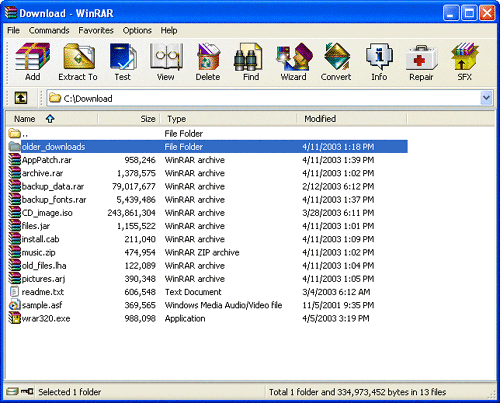
WinRAR is a 32-bit/64-bit Windows version of RAR Archiver, the powerful archiver and archive manager. WinRARs main features are very strong general and multimedia compression, solid compression, archive protection from damage, processing of ZIP and other non-RAR archives, scanning archives for...
DOWNLOADSoftware Catalog
 Android Android |
Business & Productivity Tools |
| Desktop |
Developer Tools |
| Drivers |
Education |
| Games |
Home & Personal |
| Internet & Networking |
Multimedia & Design |
| Operating Systems |
Utilities |


Accessor
Accessor 1.7

Category:
Utilities / File & Disk Management
| Author: Nesoft Inc.
DOWNLOAD
GET FULL VER
Cost: $19.00 USD
License: Shareware
Size: 554.7 KB
Download Counter: 17
What's new in version 1.7:
1. New Items are added into Main Menu, such as:
- Find Files and Folders,
- Empty Recycle Bin,
- Clear Documents History,
- Formatting Floppy Disk.
2. Now original file icons are displayed while viewing File System (FDD, HDD, CD and Network drives).
3. Settings window has absolutely new interface! Now with:
- improved color palette;
- more convenient settings window;
- Tray Popup Menu which allows to hide/show some Menu Items.
Main features of the program:
- Review of the File System (FDD, HDD, CD drives and Network drives) from icon on the
system tray;
- creation of the list of the most frequently used and favorite folders and use it with
help of "Quick Folders" button which is added to:
- all standard Open/Save dialog windows;
- Open/Save dialog windows in all versions of Microsoft Office;
- access to the Control Panel and it??™s elements (add/remove programs, properties of the
screen, modem, Internet and system);
- termination of any running programs from popup menu in one click (Kill User Process);
- process administration (termination/addition of the processes) allows to look through
the available windows in system with the description of the process itself
(id windows, file path, process icon, window styles);
- CD-ROM administration (Eject/Close CD from the system tray);
- ShutDown / ReStart / LogOff / Lock WorkStation;
- and many others...
OS Support:
Language Support:
Related Software
Access | Add | Block Control Panel | Control | Control File Access | Control Panel | Control Panel Item | Control Panel Items | Disk | File | File And Disk Manager | Folder | Manager | Remove | Skype Control Panel | System | Windows | Windows Control Panel | Windows File Manager | Windows Task Manager
 Accessor.Launchbar - The desktop toolbar that will help quick launch a programs, open documents and URLs with one mouse click. Just add an icon for a program, a document or an URL to a panel in Accessor.Launchbar and you will be able to open them quickly
 Prio - Utility for saving the priority of applications and interface enhancements for the standard Task Manager.Saving the priority of each process.Detecting the full path to the executable file.Quick access to system services.
 WGP Folder-Lock - Lock and hide your folders by making them appear as another part of your computer, such as the Control Panel. Folder locking is completed in seconds and your data is unmodified - no complicated encryption keys to remember. Plus disable folder delete.
 WGP Folder Lock - Lock and hide your folders by making them appear as another part of your computer, such as the Control Panel. Folder locking is completed in seconds and your data is unmodified - no complicated encryption keys to remember. Plus disable folder delete.
 Disk Size Manager - Disk Size Manager - a powerful hard disk space manager. Using Disk Size Manager you can keep track of your hard disks space to ensure its most efficient use. With its 2D/3D pie and bar charts as well as detailed descriptions in words.
 1st Security Administrator - Protect PC, restrict access to Windows applications, password-protect boot, apply access restrictions to PC, deny access to Control Panel, disable boot keys, context menus, DOS, Registry editing, Internet, network access. Hide desktop icons, disk dri
 1st Security Administrator Pro - Restrict access to Windows, protect PC, password-protect boot, apply access restrictions to PC, deny access to Control Panel, disable boot keys, context menus, DOS, Registry editing, Internet, network access. Hide desktop icons, disk drives, etc.
 Task Manager Fix - Windows system recovery tool to enable disabled Windows Task Manager. Utility to enable Task Manager disabled by virus, trojans, spyware etc. Software is designed to enable taskmanager which is disabled by the virus, trojans and spywares.
 Folder Guard Professional - Powerful security and access control utility for Windows Vista/XP/2000/x64 that lets you hide or password-protect files and folders, as well as restrict access to other resources. http://www.winability.com/
 TaskInfo - TaskInfo for Win9x/ME/NT/2k/XP/Vista/Win7: Task Manager & System Info, Alerts. Shows in real time OS Wide info, for all processes and threads -- CPU%, Path, open files, memory, DLLs, command line, environment vars... Run, terminate, Reboot
 Top Downloads
- Total Commander
- WinBin2Iso
- Hard Drive Mechanic
- WinMount
- Export Lotus Notes Address Book
- Notes to Outlook
- Secure File Vault
- EASEUS Partition Manager
- Drive Discovery
- BootIt Next Generation

New Downloads
- WinNc
- DiskSavvy Server
- Undela
- RescuePRO
- Hard Drive Mechanic
- Active SMART
- WinISO
- Outlook Recovery
- FlashPhoenix Photo Recovery
- Recovery For SQL Server

New Reviews
- jZip Review
- License4J Review
- USB Secure Review
- iTestBot Review
- AbsoluteTelnet Telnet / SSH Client Review
- conaito VoIP SDK ActiveX Review
- conaito PPT2SWF SDK Review
- FastPictureViewer Review
- Ashkon MP3 Tag Editor Review
- Video Mobile Converter Review
Actual Software
| Link To Us
| Links
| Contact
Must Have
| TOP 100
| Authors
| Reviews
| RSS
| Submit


